Best Tablets for Work and Streaming in 2026

A good tablet can do a lot more than stream series in bed. With a keyboard cover it becomes a light work machine for emails, documents and video calls. With a stylus it turns into a sketchbook or a digital notepad for lectures. And because tablets sip power compared with a laptop, they are a clever buy for load-shedding days when you want your work and entertainment to keep going. The hard part is choosing. Apple, Samsung, Lenovo and Microsoft all make strong tablets, and they suit different people. In this guide we compare the main types we sell at Joltbox, with real prices, so you can pick the right one for 2026.

Start by asking what you will do most. If work comes first, you want a big screen, a proper keyboard and apps that match your office tools. If entertainment comes first, look for a bright screen, loud speakers and long battery life. Students need a mix of both, plus a stylus for notes. Then think about data. A Wi-Fi only tablet is cheaper, and you can hotspot from your phone. A cellular model has its own SIM, which is handy on the road but adds a monthly cost.

3. Windows tablets for real work

If you need full Windows programs like Excel with macros, accounting software or company VPN tools, a Windows tablet is the answer. The Microsoft Surface Pro 8 from R16,599 is a proper laptop replacement. Clip on a Type Cover and you have a full keyboard and trackpad. The kickstand lets you set any angle, from typing on a desk to drawing almost flat.

The Surface Pro runs the same software as your office PC. No workarounds, no cut-down apps. That alone makes it the right pick for many remote workers and small business owners.

For a lower budget, the ASUS Vivobook 13 from R11,099 is a detachable Windows tablet with a keyboard. It suits students and light office work, like browsing, email and Word. It is not built for heavy multitasking, but it is compact, light and much easier to carry around campus.

Windows tablets do have trade-offs. Battery life is usually shorter than on an iPad or Android tablet, and the app store has fewer touch-friendly games and apps. Entertainment is still fine, since Netflix, Showmax and YouTube all work well in the browser or app. If you plan to use it mostly at a desk, pair it with an external monitor over USB-C for a bigger workspace. Keep a USB-C charger in your bag too. The Cygnett PowerMaxx 70W charges most USB-C tablets and your phone, which saves space when you travel.

2. Android tablets for movies, notes and everyday multitasking

For entertainment, Android tablets offer great value. The Samsung Galaxy Tab S7 Plus from R22,199 has a big 12.4-inch AMOLED screen with deep blacks and rich colour. Movies look superb, and the four speakers tuned by AKG fill a room. The S Pen is included in the box, which is a nice bonus.

Samsung DeX mode is the hidden gem. Turn it on, add a keyboard, and the tablet switches to a desktop-style layout with windows you can resize. It is not quite a laptop, but it handles emails, Google Docs and video calls with ease. For students on a budget, that flexibility means one device for lectures, assignments and weekend streaming, without buying a separate laptop as well.

The Lenovo Tab P12 Pro from R16,599 is a strong alternative with a 12.6-inch OLED display and a slim metal body. It is great for reading, drawing and streaming. Lenovo also includes handy productivity features, and it often costs less than a similar Samsung tablet.

Android tablets work with the same Google account as your phone, so your apps, photos and passwords follow you. If you already own a Galaxy phone, the Samsung tablet links even more closely. Add the Ugreen Lazy Arm Tablet Holder for R499 and you can watch hands-free in bed, in the kitchen or at your desk. It folds away neatly after use.

1.The iPad is still the safest choice

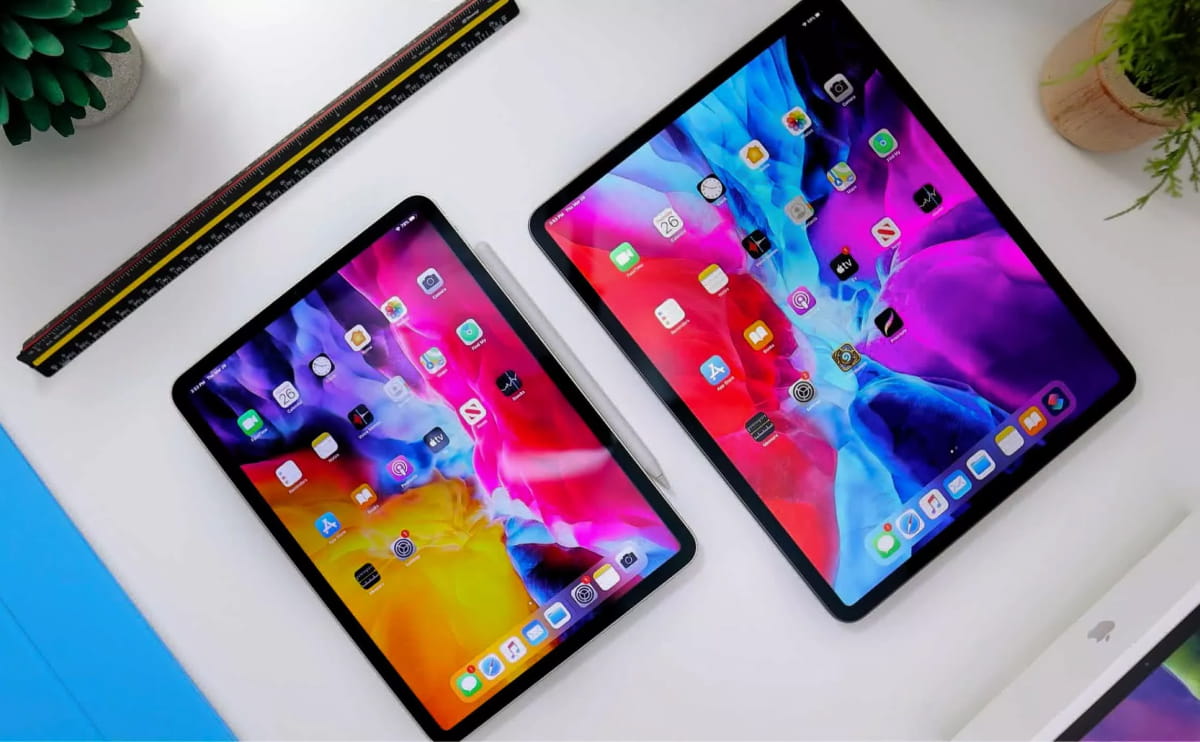
For most people, an iPad is the easiest tablet to live with. The Apple iPad Air Wi-Fi from R11,099 has a 10.9-inch screen, fast performance and long battery life. It handles work apps, drawing with Apple Pencil and gaming with ease, and the app selection is the best of any tablet.

The iPad Mini at the same price suits readers and travellers who want something small enough for one hand. It slips into a handbag or small backpack without any trouble.

Creative professionals should look at the iPad Pro. The 11-inch Wi-Fi model starts at R28,099, and the 12.9-inch Wi-Fi + Cellular model at R29,599. Both are fast enough for serious editing work.

Whichever tablet you choose from Joltbox, it arrives new and sealed with full SA warranty, plus 30-day returns if unopened. Delivery is free on orders over R5,000, which covers most of the tablets in this guide. Want to try before you buy? Visit our showroom at 22 Loop Street, Cape Town, or call us on 021 555 0142.